Image Moderation Without Sending User Data to the Cloud
Most image moderation systems today still work the same way:
a user uploads a photo, it goes to a server, and an API returns with a response.
That pattern’s expensive, slow, and hard to justify if you’re building a mobile-first product.
Keeping that in mind, there’s another approach that removes the server entirely from the decision loop.
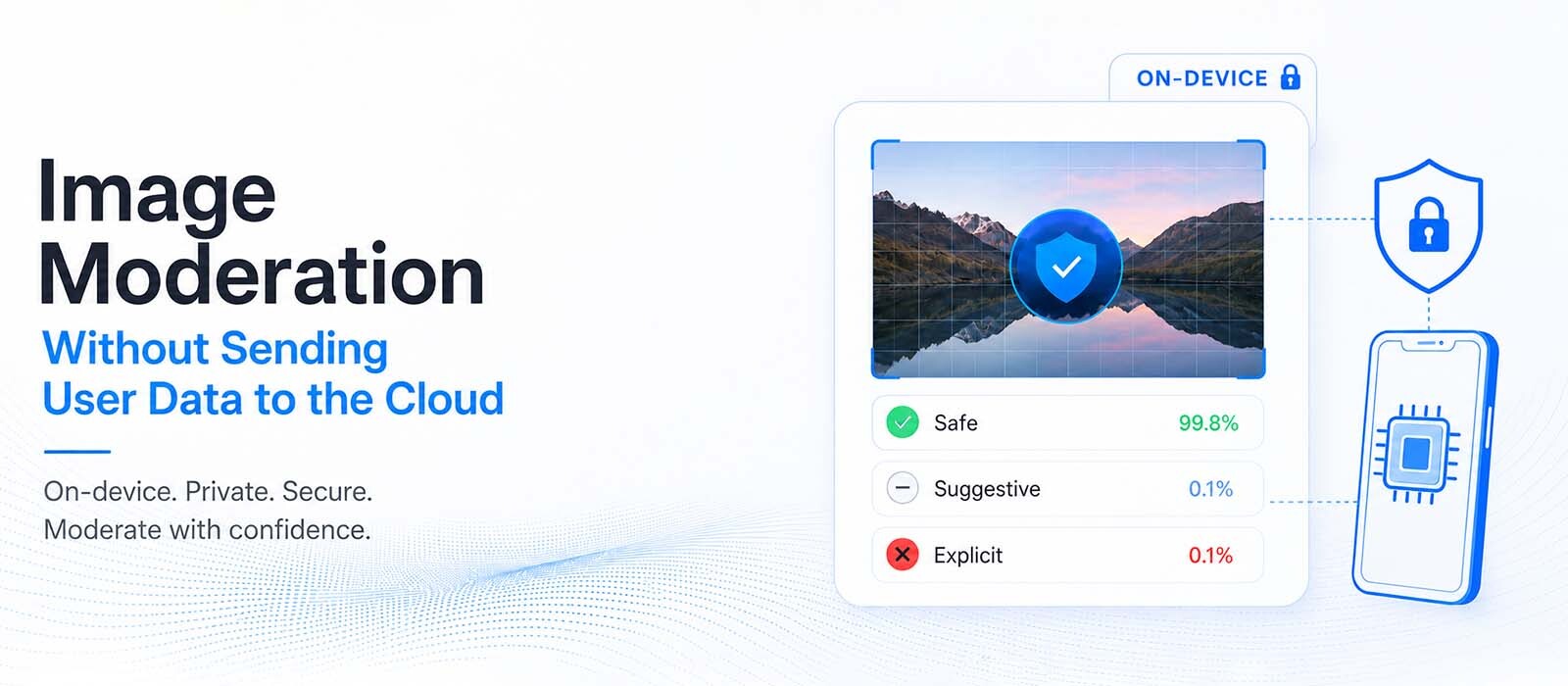
With this approach, the moderation runs directly on the user’s device, the image never leaves the phone, and the result comes back in milliseconds.
This is image moderation done on-device.
And it changes three things immediately:
- You stop paying per image upload
- You stop moving sensitive user photos across the network
- And you remove the latency of a remote API call
And in most mobile apps, that’s already enough reason to reconsider how an image moderation API’s typically implemented.
Now, what on-device image moderation actually means
It means the detection model is bundled inside your app.
To put it more simply, that means that instead of sending a file to an external NSFW detection API, the model runs locally using the device’s compute resources:
When a user selects or captures an image, it’s processed locally and the model returns with:
- NSFW probability
- category scores (e.g. sexual content, violence, weapons, drugs)
- and confidence values
No image is uploaded, or payload’s sent to a backend, and there’s no “moderation request” in the traditional sense.
The only external communication (if any) is usually a lightweight license or configuration check which doesn’t include user content.
Why cloud-based image moderation breaks at scale
Cloud moderation looks simple in the beginning: you send an image, get a response, and move on.
But the model behind services like AWS Rekognition or similar image moderation API providers introduces three structural problems, and they compound as you grow. .
- Cost
Every uploaded image is billed. If your product grows, your moderation bill increases too
- Privacy
User photos must leave the device and be processed by a third party. Even if nothing’s stored, the transfer itself is a liability in the user’s mind.
- Legal and operational load
Transmitting and storing user images off-device increases your data-handling responsibilities, your consent requirements, and exposure if that data is ever retained or breached.
Every image that leaves the phone is a liability you're now carrying.
At small scale, this is acceptable but on a product-wide scale, it becomes a constant tax on every interaction.
How on-device image moderation runs inside an app
It works by running the detection model directly inside the user’s device instead of sending images to an external server.
When a user selects or captures an image, the app passes it to a pre-installed machine learning model that performs inference locally.
(No API call’s made, and no image is uploaded).
The model immediately returns a moderation result, typically including an NSFW score and category-level label like sexual content, violence, weapons, drugs, or alcohol.
Some systems also expose confidence values to help fine-tune thresholds.
What on-device moderation changes in a real system
Traditionally, moderation is handled on the backend:
- User uploads image
- Backend forwards it to a moderation API
- API gives a result
- Backend decides whether to accept or block the content
With on-device moderation, that flow is compressed into a single client-side step:
- User selects image
- Device runs inference
- App decides instantly what to do next
The backend may still enforce final rules, but the first filtering step happens entirely on the device.
In many apps, this means a large portion of unsafe content never reaches the server at all.
For many products, that alone is the main win, not performance gains or cost savings, but simply reducing unnecessary backend traffic.
Where on-device moderation fits in your architecture
In a traditional cloud-based setup, the flow looks like this:
User selects an image → image is uploaded to your backend → backend sends it to a moderation service → moderation result is returned → backend decides whether to accept or reject the upload.
With on-device moderation, that first decision happens inside the app:
User selects an image → the app runs moderation locally → the app decides whether the image should be uploaded.
Now, because the image is evaluated before it leaves the device, a large portion of unsafe content never reaches your backend in the first place.
That also changes the role of your backend.
Instead of acting as the first line of moderation, it mainly handles storage, delivery, and any additional server-side validation your app requires.
The trade-offs of moving moderation on-device
Running moderation locally solves a lot of problems, but it also changes what you're optimizing for.
Instead of relying on large cloud models running on powerful servers, you're now working within the limits of a mobile device.
And that introduces a few trade-offs like:
Model size
Unlike cloud models, on-device models have to run within the phone's available memory, processing power, and battery budget.
Because of that, they're typically smaller and may struggle more with rare cases.
Flexibility
Cloud moderation services can improve their models or introduce new moderation categories without requiring any changes to your app.
On-device models usually ship with a predefined set of labels, so adding new capabilities often means updating the SDK or releasing a newer version of the app.
App size
Because the moderation model is bundled with the application, it increases the size of the app itself.
Larger models can also make app updates heavier than simply updating a backend service.
These trade-offs are acceptable for many products because they affect only a small percentage of moderation decisions.
In return, you get faster moderation, better privacy, and infrastructure costs that don't build up with every image your users upload.
But, even with these trade-offs, most apps find it worth it. The hardest cases are usually rare. What matters more is handling the common cases instantly, without network calls or server dependency.
When to opt for Cloud Moderation
Cloud-based NSFW moderation APIs are still useful in cases like:
- When you need very large or frequently updated models
- When images are already processed on the backend (not user device)
- When you need flexible or custom classification rules
- When you want full control over moderation logic without shipping app updates
In those cases, cloud moderation is still the better choice.
But for mobile apps where users upload images directly from their phones, on-device moderation is becoming the default first step.
Does on-device help with privacy laws?
Running image moderation on-device reduces how much user data ever leaves the phone.
With cloud-based image moderation APIs, you are explicitly transmitting user images to a third party for processing.
Even if those images are not stored, they still pass through infrastructure you don’t fully control.
With on-device image moderation, that step disappears.
The image stays on the device, and only the result leaves the phone (if you even send the result at all).
This fits well with the principle that GDPR, the EU Digital Services Act, and the UK Online Safety Act all share: data minimization.
So what should you actually use?
If you remove the marketing hype, the decision’s simple.
Use on-device image moderation when:
- content is created on mobile devices
- you need instant feedback before upload
- privacy and data minimization are important
- you want to reduce server-side moderation load
Use cloud NSFW detection APIs when:
- content already exists on your backend
- you need large or frequently updated models
- moderation is part of a centralized processing pipeline
- you cannot ship models inside a mobile app
However, in practice, most products end up with a hybrid setup:
- on-device for first-pass filtering
- cloud for edge cases or backend validation
… to give a balance between speed, cost, and control.
To Conclude
The biggest change with on-device moderation isn't that it's faster (or cheaper).
It's that moderation happens before content leaves the user's device.
That one architectural shift changes things.
Like, it reduces unnecessary uploads, improves privacy by default, lowers infrastructure costs, and gives users immediate feedback instead of making them wait for a server response.
Cloud moderation still has an important place, especially for backend workflows and more complex analysis.
But for mobile apps where users create content on their own devices, moving the first moderation step onto the client is becoming the more practical way to build.
FAQs
Can you moderate images without uploading them to a server?
Yes. An on-device SDK bundles the detection models in your app and runs them on the phone, so images are checked locally and never transmitted.
Is on-device image moderation as accurate as the cloud?
For the vast majority of images, yes.
In rare cases, a very large cloud model can occasionally be more accurate, because on-device models are smaller. Thresholds let you set how strict the detection is.
Does on-device moderation make me GDPR-compliant?
It strongly supports data minimization by keeping images on the device, which helps, but it's one building block, not a full compliance program on its own.
What does it detect?
Sexual and explicit content, plus objects like weapons, drugs, cigarettes, and alcohol, each returned with a confidence score.
Does keeping it on-device cost more?
No! In fact, the opposite. There's no per-image fee, so cost doesn't scale with uploads the way cloud billing does.