



Frame path
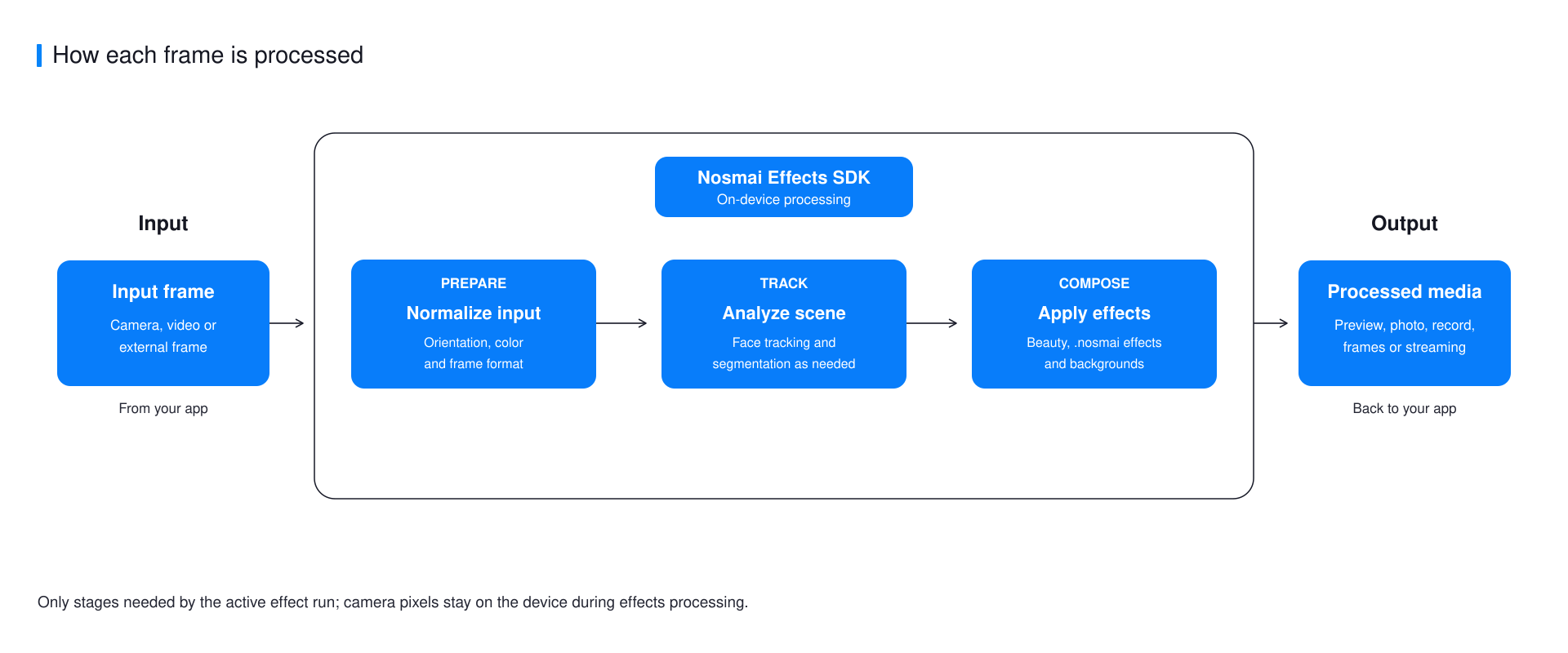
Nosmai Effects processes frames on the device. Camera pixels are not uploaded to apply beauty, masks, backgrounds, or authored effects. Network access is used separately for license verification and Cloud Filter catalog or asset downloads.
A frame is one still image in the live video stream. A processed frame is that image after Nosmai has applied the active effects. Processing on the device means this visual work happens on the phone, tablet, or browser device.
Processing stages
Nosmai enables only the stages needed by the active features. A color filter does not require the same work as face-tracked makeup or background segmentation. This is why two effects can have different performance on the same device.
The normal target is 30 FPS. FPS means frames per second and describes how smoothly the video is being processed. Actual frame rate depends on the device, input resolution, active effect, recording or streaming load, and thermal state. Thermal state describes how hot the device is and whether it has reduced speed to protect itself.
Effect composition
The runtime uses separate visual slots. A slot is one active position for a category of visual content, so applying a replacement in that category removes the previous item from the same slot.
- A regular
filtercan remain active with an AR package. effectandbeauty_effectshare the AR slot and replace each other.- A
backgroundpackage replaces the previous authored background. - Built-in beauty can remain active with a regular filter.
Applying a new package in the same slot replaces the previous package. Observe the SDK's active-state callback instead of assuming that a button tap always leaves the requested package active.
Camera-owned and external-frame flows
In the normal flow, Nosmai displays a camera preview and provides processed capture, recording, or streaming output. In an external-frame flow, the host application owns the source and submits frames to native iOS or Android.
Use one camera owner at a time. If another camera library already owns the device, dispose or pause it before opening a Nosmai camera preview. Camera2 device error 2 on Android commonly means another camera session is still using the hardware.
Output ownership
The consumer owns any copied photo or finalized recording returned by the SDK. For real-time native frame callbacks, ownership is shorter:
- Retain an iOS
CVPixelBufferif it is needed after the callback returns. - Consume or copy Android native output before submitting the next frame.
- Never build an unbounded frame queue. Keep the newest waiting frame.
- Remove callbacks before releasing the camera, encoder, or GL context.
Next steps
- Understand filters and effects
- Learn how Cloud Filters work
- Use processed output
- Review limits and performance
