



Prerequisites
- iOS 15 or later on a physical arm64 device
- The
NosmaiCameraSDKandWebRTC-SDKpods - An authenticated production signalling service
- Camera and microphone permission
pod 'NosmaiCameraSDK', '~> 3.0.4'
pod 'WebRTC-SDK', '~> 125.6422.07'
Streaming path
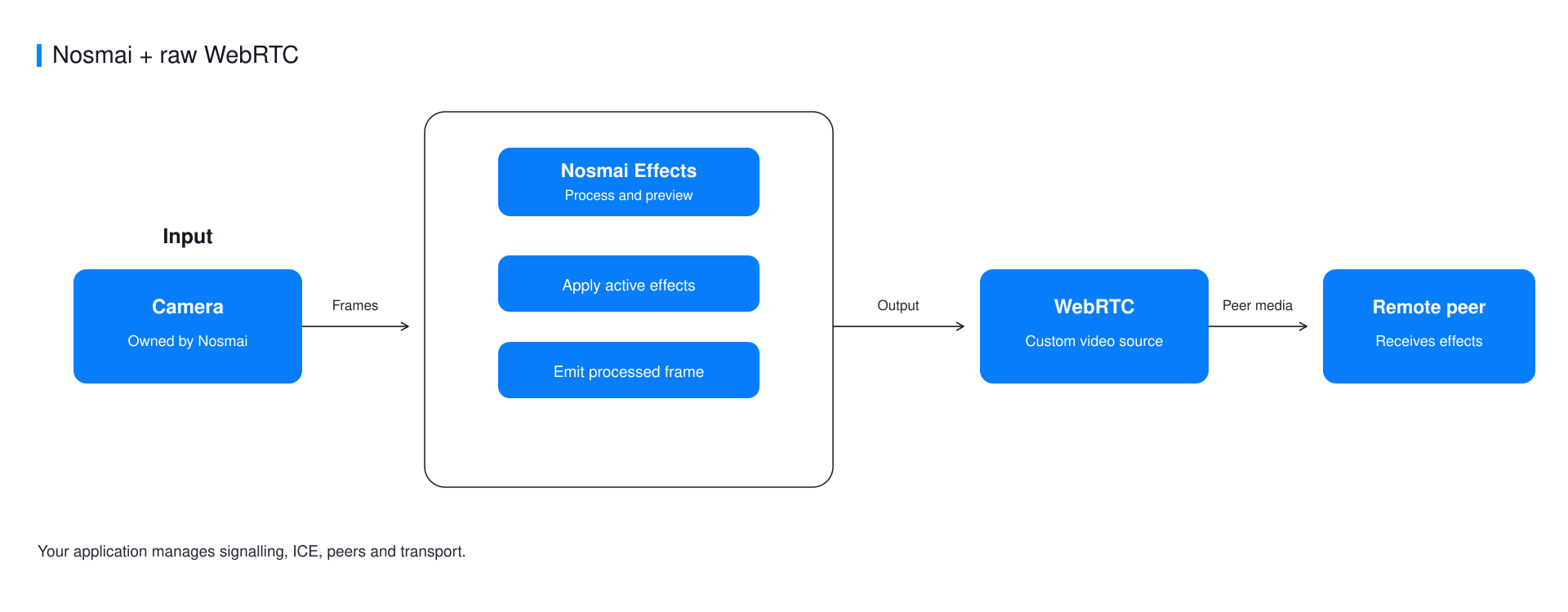
Nosmai owns camera capture and the local preview. Your WebRTC layer publishes the processed CVPixelBuffer output and manages signalling, peers, ICE, audio, and reconnect behaviour.
Create a WebRTC video source
let source = peerConnectionFactory.videoSource()
let capturer = RTCVideoCapturer(delegate: source)
let track = peerConnectionFactory.videoTrack(
    with: source,
    trackId: "nosmai-video"
)

peerConnection.add(track, streamIds: ["nosmai-stream"])
Add microphone audio through a normal WebRTC audio source. Do not create a WebRTC camera capturer.
Push processed frames
Keep the Nosmai callback short and forward each buffer to the WebRTC source.
NosmaiCore.shared().liveFrameStreamCallback = {
    pixelBuffer, timestamp in

    let buffer = RTCCVPixelBuffer(pixelBuffer: pixelBuffer)
    let frame = RTCVideoFrame(
        buffer: buffer,
        rotation: ._0,
        timeStampNs: Int64(timestamp * 1_000_000_000)
    )

    source.capturer(capturer, didCapture: frame)
}
The IOSurface-backed buffer is wrapped without a CPU pixel copy. Use liveFrameStreamCallback; replacing the SDK singleton's lower-level callback can detach recording output.
Connect through your signalling layer
Exchange SDP and trickle ICE through your own service. Configure STUN and TURN for the networks your application supports. The example viewer server is only for local verification.
Stop in the correct order
NosmaiCore.shared().liveFrameStreamCallback = nil
peerConnection.close()
Then close signalling and release the WebRTC tracks, source, and capturer.
Common errors
| Symptom | Cause | Fix |
|---|---|---|
| Preview is live but the peer receives no video | startProcessing was not called or the callback was not armed | Start capture and processing, then assign liveFrameStreamCallback |
| Recording stops receiving frames | The lower-level SDK callback replaced NosmaiCore fan-out | Use liveFrameStreamCallback only |
| Stream works on Wi-Fi but not across networks | ICE cannot find a viable route | Configure authenticated TURN and inspect ICE state |
Verify it worked
Use the example viewer to confirm visible effects, decoded resolution, frame rate, orientation, and a clean reconnect.
Complete example
The native iOS WebRTC example contains the tested frame wrapper, peer connection, signalling client, and browser viewer.
