



License scope
Every key belongs to a Nosmai Console project, platform, and application identity. Android verifies the signed package ID, iOS verifies the bundle identifier, and Web verifies the configured origin.
The key authorizes a specific application to use the enabled Nosmai Effects features. It is not a general credential for use across applications or platforms.
A key that succeeds in Postman can still fail inside an app if the installed application reports a different identity or platform. Create separate keys for different platforms and application IDs.
MAU pricing
Nosmai Effects pricing is based on monthly active users, not camera frames, API calls, or effects applied. Current plan prices and included features are shown on the Effects pricing section.
MAU means monthly active users: distinct users who use the product during the plan's monthly counting period. One user applying many effects is not the same thing as many different active users.
The exact counting window, overage handling, and commercial terms for a project are defined by the active plan or agreement. Use Nosmai Console for the current project status instead of hard-coding plan assumptions into the app.
What users see
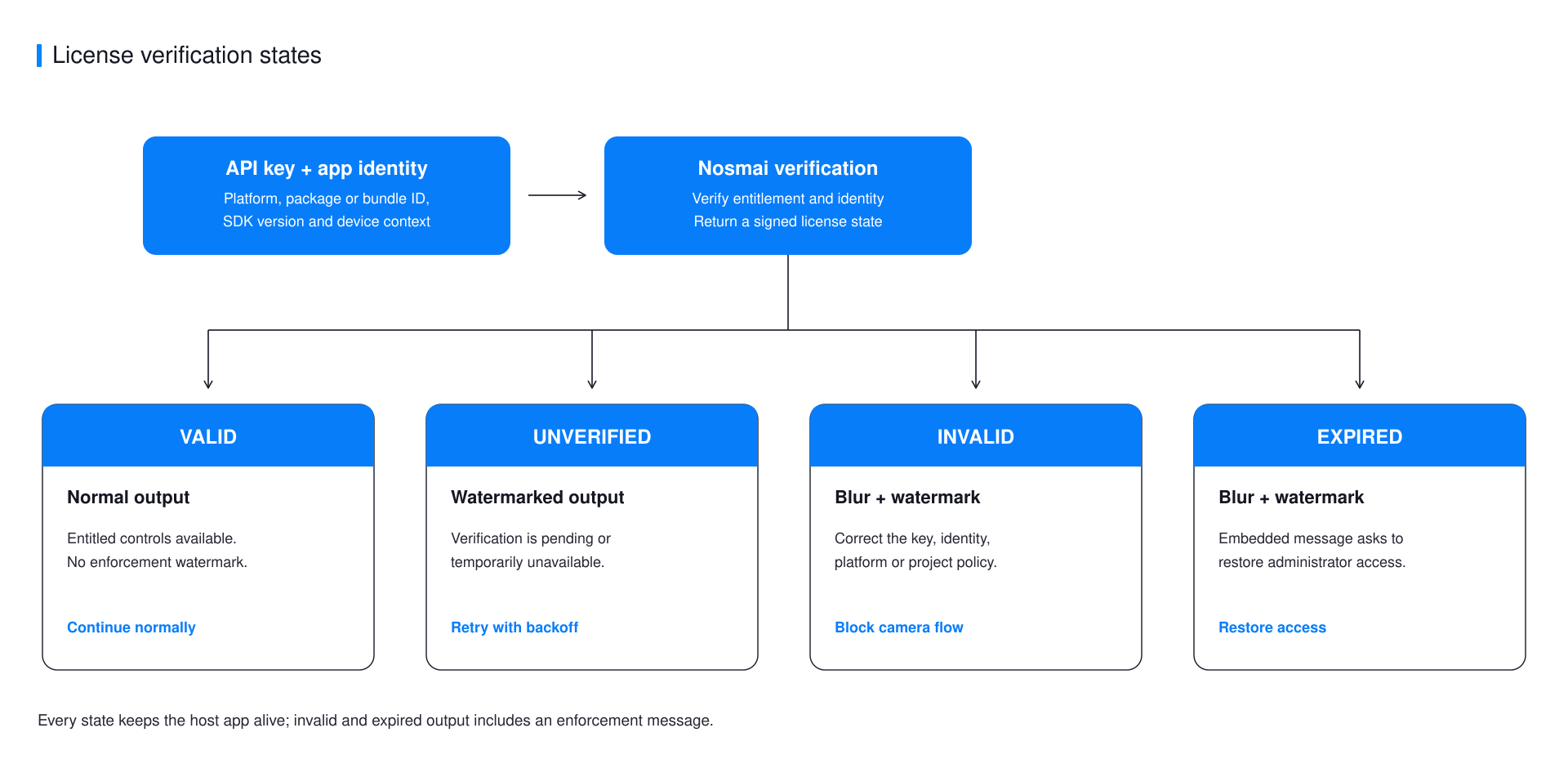
| License state | Camera output | Host application |
|---|---|---|
VALID | Normal output | Continues normally |
UNVERIFIED | Watermark while verification is pending or temporarily unavailable | Remains alive |
INVALID | Full-frame blur and watermark | Remains alive |
EXPIRED | Full-frame blur and watermark | Remains alive |
The SDK does not intentionally crash the host application for these states and does not show a system toast. Native 3.0.4 embeds an enforcement message in the processed output for confirmed invalid or expired states. An expired license asks the user to contact the administrator; MAU_LIMIT_EXCEEDED says that the monthly usage limit was reached; other invalid states report that Nosmai Effects is unavailable. The host app may add its own recovery UI, but it must not promise access while the SDK is enforcing the state. Treat license status as production state because it can visibly change preview, recording, and processed output.
Trial and production readiness
Use the trial to verify the complete integration on supported physical devices. Before release, confirm the final signed app identity, active plan, enabled features, and billing state. Monitor license callbacks and keep support logs that exclude the full secret key.
