



Prerequisites
- iOS 15 or later on a physical arm64 device
- The
NosmaiCameraSDKandLiveKitClientpods - A LiveKit server URL and participant token
- Camera and microphone permission
pod 'NosmaiCameraSDK', '~> 3.0.4'
pod 'LiveKitClient', '~> 2.0'
Streaming path
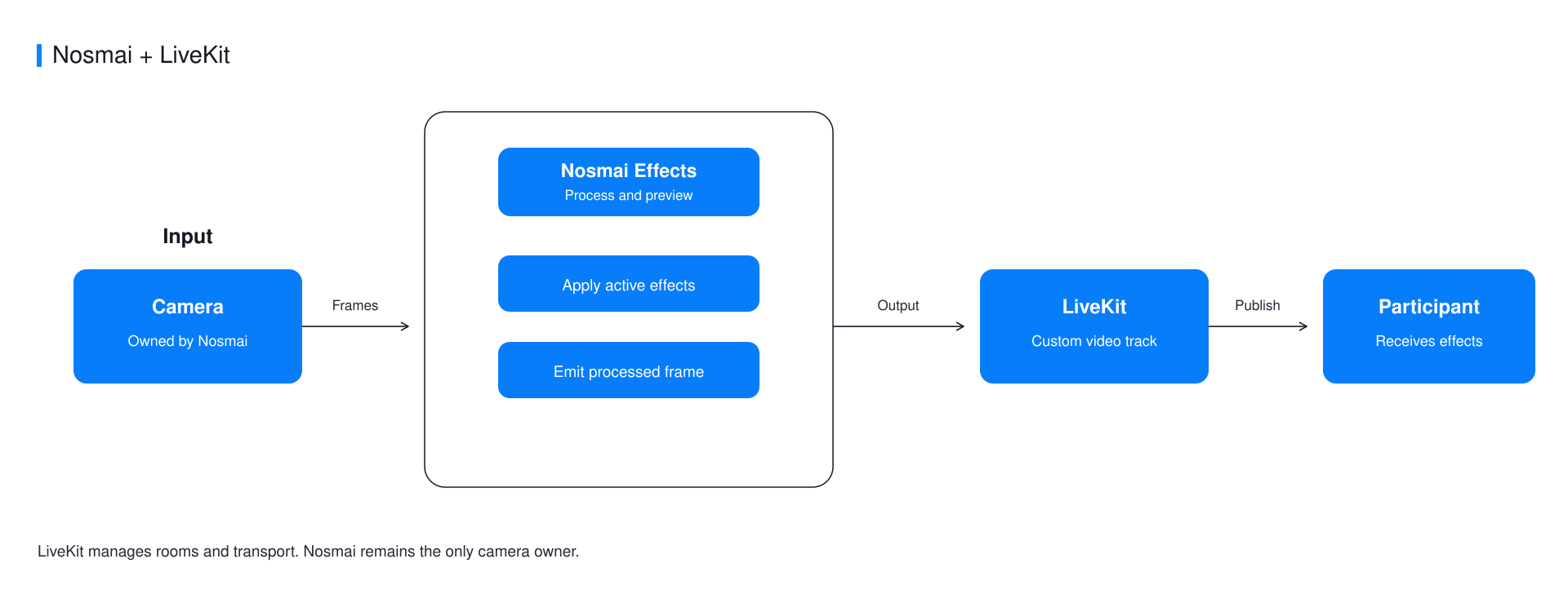
Nosmai owns the camera and local preview. LiveKit publishes processed CVPixelBuffer output through a BufferCapturer. iOS does not need an EGL share-context step.
Start capture and processing
Both operations are required. startCapture opens the camera; startProcessing starts the effects pipeline.
NosmaiCore.shared().camera?.attach(to: previewView)

guard NosmaiCore.shared().camera?.startCapture() == true else {
    NSLog("Nosmai camera failed to start")
    return
}

NosmaiSDK.sharedInstance()?.startProcessing()
Create a LiveKit buffer track
let room = Room(roomOptions: RoomOptions(
    defaultVideoPublishOptions: VideoPublishOptions(simulcast: false)
))

try await room.connect(url: liveKitURL, token: liveKitToken)

let track = LocalVideoTrack.createBufferTrack(
    name: "nosmai",
    source: .camera
)

guard let capturer = track.capturer as? BufferCapturer else {
    NSLog("LiveKit returned an unexpected capturer type")
    return
}
Push processed buffers
Assign liveFrameStreamCallback, not the SDK singleton's lower-level pixel buffer callback. NosmaiCore uses its callback fan-out for recording and live output together.
NosmaiCore.shared().liveFrameStreamCallback = {
    pixelBuffer, timestamp in

    capturer.capture(
        pixelBuffer,
        timeStampNs: Int64(timestamp * 1_000_000_000)
    )
}

try await room.localParticipant.publish(videoTrack: track)
Keep the callback fast. It runs on Nosmai's render thread, and LiveKit retains the IOSurface-backed buffer it needs.
Stop in the correct order
NosmaiCore.shared().liveFrameStreamCallback = nil
await room.disconnect()
Clear frame production before disconnecting the room, then release the stored track and capturer references owned by your screen or streaming coordinator.
Common errors
| Symptom | Cause | Fix |
|---|---|---|
| Preview is visible but no frame is published | Capture started without startProcessing | Start capture and processing before creating the track |
| Filters report success but are not visible | The effects queue is not being drained | Call startProcessing after camera capture starts |
| Recording stops receiving frames | The lower-level SDK callback replaced NosmaiCore fan-out | Use liveFrameStreamCallback only |
Verify it worked
Apply a visible filter and confirm a remote participant sees it. Test a camera switch and a second join after teardown.
Complete example
The native iOS LiveKit example contains permission handling, capture, buffer publishing, filters, and teardown.
