



Prerequisites
- Android API 21 or later on a physical
arm64-v8adevice - The verified Nosmai 3.0.4 AAR
- A WebRTC library and signalling service
- A working Nosmai camera preview
dependencies {
    implementation(files("libs/nosmai-sdk-3.0.4.aar"))
    implementation("io.github.webrtc-sdk:android:125.6422.07")
}
Streaming path
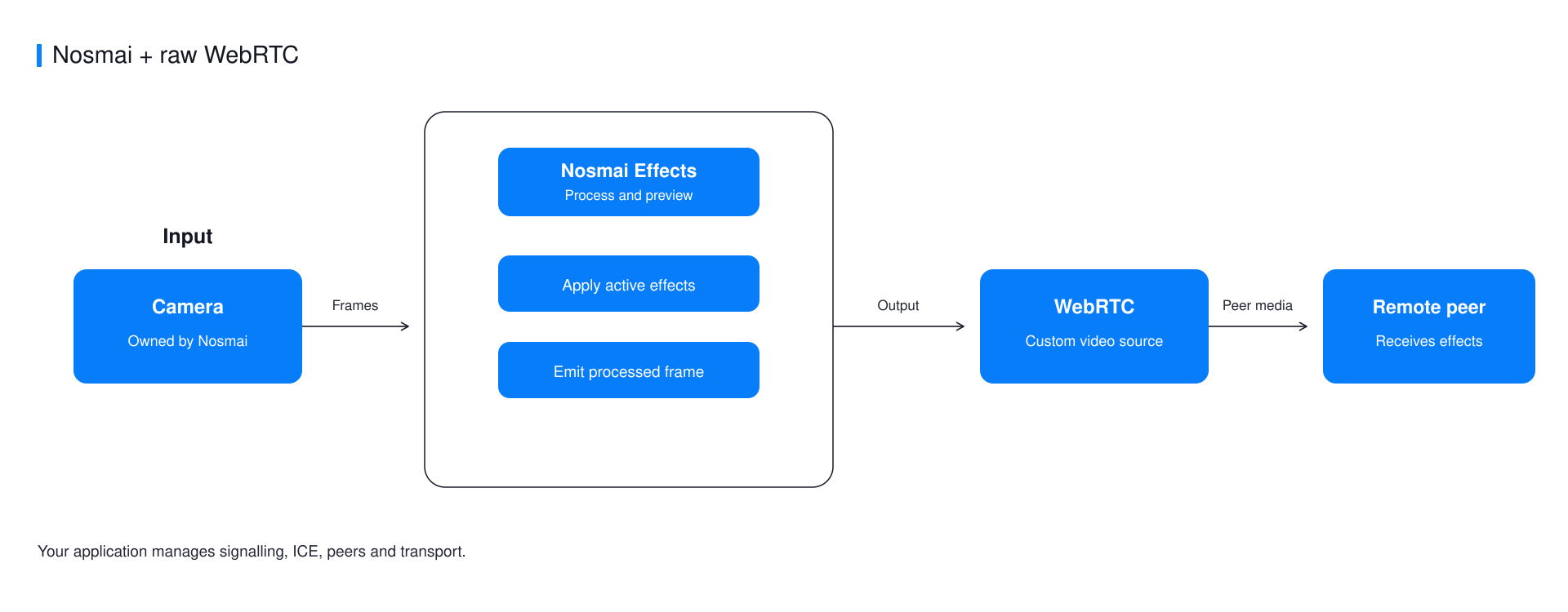
Raw WebRTC has no managed rooms or token service. Nosmai provides processed video, while your application owns peer connections, signalling, ICE, audio, and reconnect behaviour.
Share the encoder context
Create one EglBase, register it with Nosmai before initialization, and use it for WebRTC's encoder, decoder, and SurfaceTextureHelper.
val eglBase = EglBase.create()

System.loadLibrary("nosmai")
NosmaiSDK.setAgoraShareContext(
    eglBase.eglBaseContext.nativeEglContext
)
NosmaiSDK.initialize(applicationContext, nosmaiLicenseKey)
Create the processed video track
Use the NosmaiVideoCapturer from the official example. It implements WebRTC's VideoCapturer, receives processed Nosmai textures, and returns every producer slot after the frame is handed off.
val source = factory.createVideoSource(false)
val helper = SurfaceTextureHelper.create(
    "NosmaiCapture",
    eglBase.eglBaseContext,
)

val capturer = NosmaiVideoCapturer()
capturer.initialize(helper, context, source.capturerObserver)
capturer.startCapture(720, 1280, 30)

val videoTrack = factory.createVideoTrack("nosmai-video", source)
peerConnection.addTrack(videoTrack, listOf("nosmai-stream"))
Add the microphone as a normal WebRTC audio track. WebRTC must not open a second camera.
Connect through your signalling layer
Exchange SDP offers, answers, and ICE candidates through your own authenticated service. The viewer server in the example is a local test fixture, not a production signalling service.
Stop in the correct order
- Stop and dispose
NosmaiVideoCapturer. - Close the peer connection and signalling socket.
- Dispose WebRTC sources and the factory.
- Release Nosmai and the shared
EglBasewhen capture ends.
Common errors
| Symptom | Cause | Fix |
|---|---|---|
| Local preview works but the peer receives black video | WebRTC cannot read Nosmai's texture context | Register and reuse one EGL context before Nosmai initialization |
| Stream freezes after several frames | A producer texture slot was not released | Release slots exactly once on success, drop, and error paths |
| Peer never connects | SDP, ICE, TURN, or signalling is incomplete | Inspect peer and ICE state separately from the Nosmai frame path |
Verify it worked
Use the example browser viewer to confirm decoded resolution, frame rate, orientation, codec, and visible effects.
Complete example
The native Android WebRTC example contains the tested capturer, peer connection, signalling client, and local browser viewer.
