



Overview
The Nosmai Studio home screen is where you begin. Its left rail lists Home, Projects, Templates, Assets, and Learn. From Home you start a new filter from a start point or a template, and reopen past work from the recents list.
Product: Nosmai Studio · Platform: macOS, Windows · Updated: 6 October 2026 · Reading time: 5 minutes
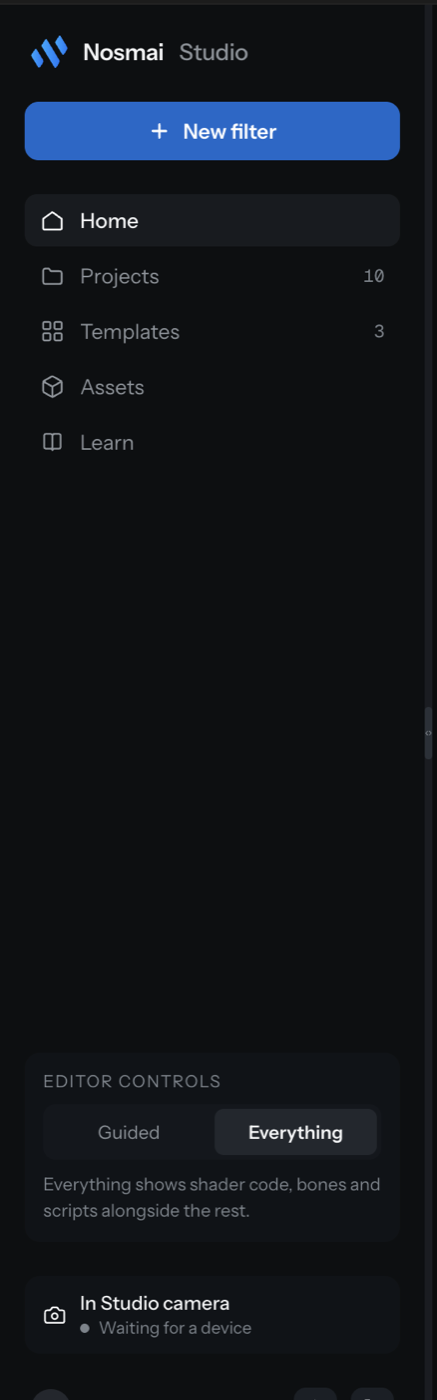
The rail
| Destination | What it holds |
|---|---|
| Home | Start points, recommended templates, and recent projects |
| Projects | All your saved projects, sortable by last edited, name, or size |
| Templates | The template gallery, every one editable |
| Assets | A placeholder in this version: files live in each project's own Files panel |
| Learn | A placeholder in this version: no lessons yet |
Assets and Learn stay in the rail on purpose and show a plain note explaining that they are not built yet, rather than appearing to work and doing nothing.
Start points
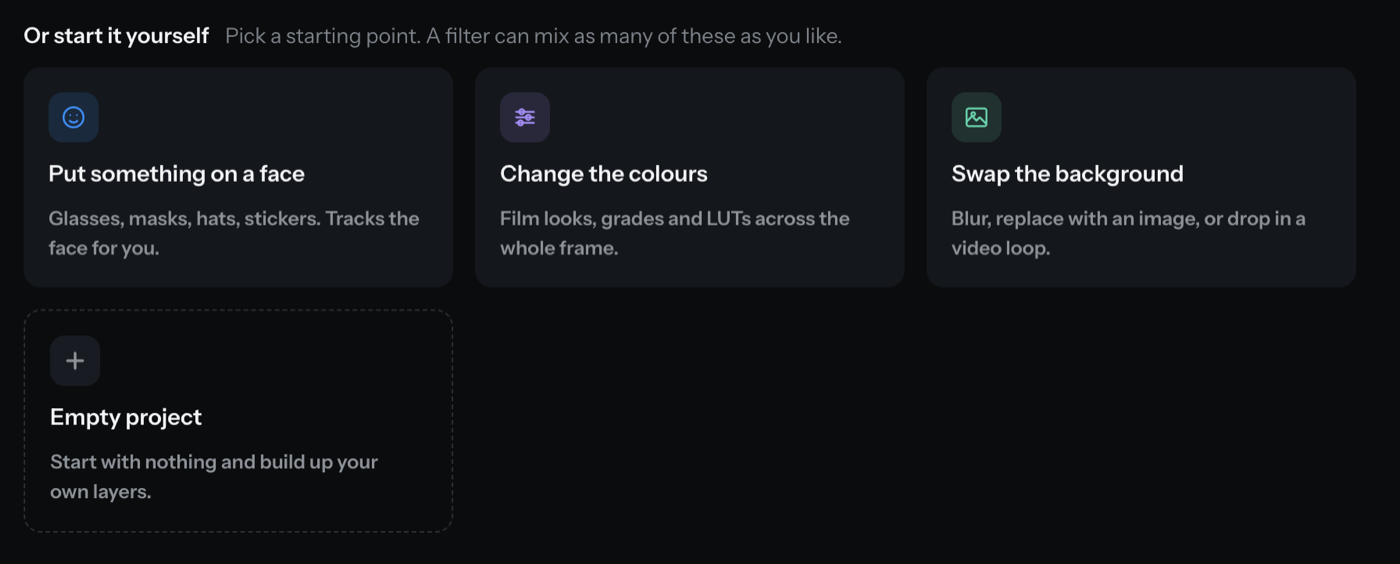
A start point is a hint about the first layer, not a project type. A filter can mix as many layer kinds as you like, so the start point only suggests what to add first. Home shows four, and the New Filter dialog shows six:
- Put something on a face: glasses, masks, hats, stickers that track the face.
- Change the colours: film looks, grades, and LUTs over the whole frame.
- Swap the background: blur, an image, or a video loop.
- Makeup and skin (dialog only): paint on the face and retouch.
- A little game (dialog only): score, taps, and things that move.
- Empty project (named "Decide later" in the dialog): start with nothing.
Templates
Templates open as ordinary editable layers. Nothing is locked. Three ship with Studio:
- BlinkFlyer: a blink-controlled mini-game with on-screen text.
- Cat Ears: face-attached animated ears, a sparkle shader, and a beauty layer.
- Loki Magic: a 3D helmet with face occlusion and a long-blink gesture.
Open Templates in the rail to see them, or pick one from the recommendations on Home.

Recent projects
The recents list shows your projects with their size and contents, measured by reading each file on disk. A project that cannot be read shows the error rather than disappearing. Each row has a menu to reveal or forget the project.
Verify it worked
- The rail shows Home, Projects, Templates, Assets, and Learn.
- A start point or template opens a project in the editor.
- Recent projects list with a size and a contents summary.
Common problems
| What you see | Why | Fix |
|---|---|---|
| A recent project says it cannot be read | The file moved or was deleted on disk | Use the row menu to forget it, or restore the file |
| The "A template" option is disabled in the New Filter dialog | No hand-authored template is available | Pick a start point instead, or open a template from the Templates gallery |
| Recents never finish measuring | Studio is reading each project one at a time | Wait; large projects take a moment, and the row updates when done |
| Assets or Learn shows a "not built" note | Those sections are placeholders in this version | Manage files inside a project's Files panel |
